Setup & Configurations
Advanced Planning Assisted Setup
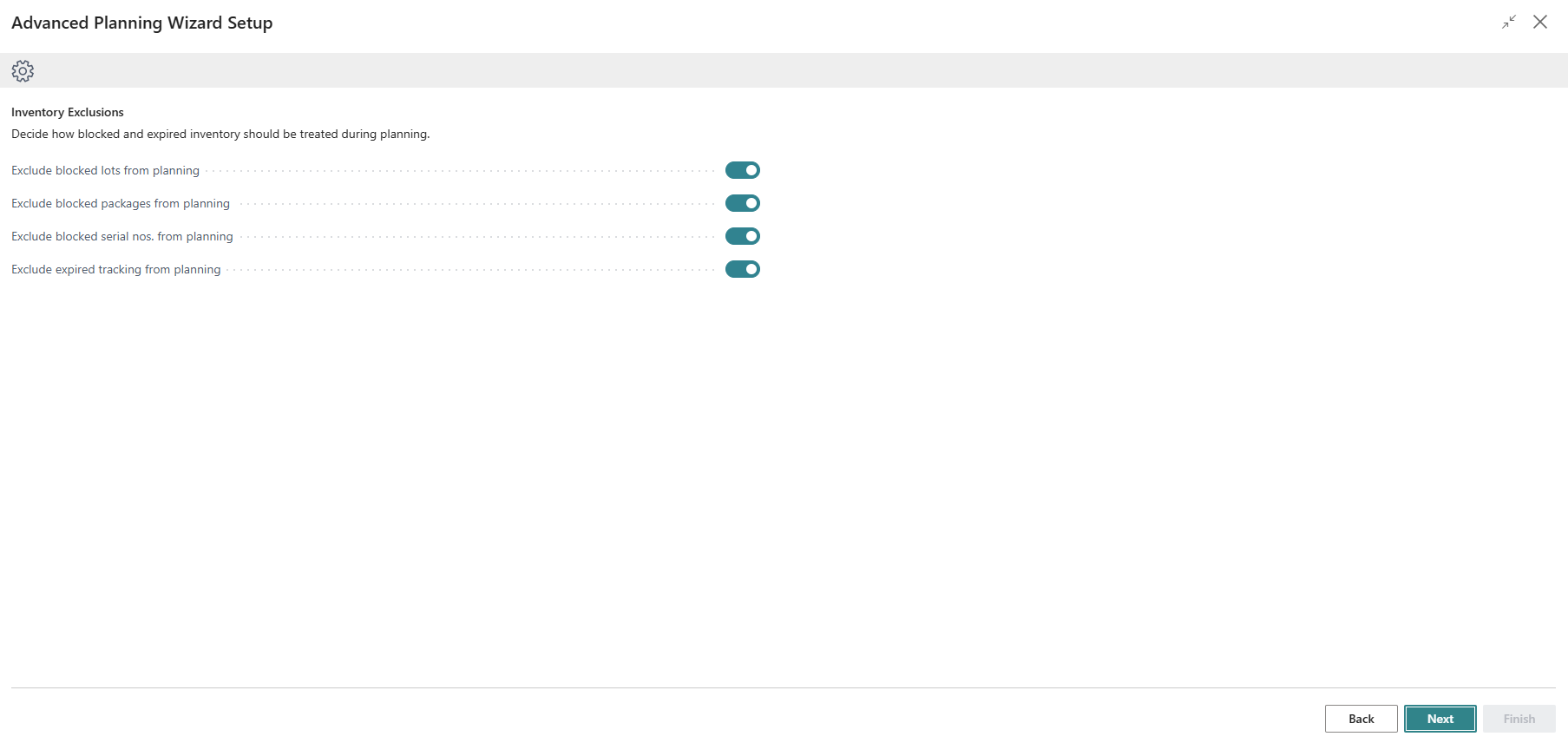
Advanced Planning includes an assisted setup wizard to guide users through initial configuration. The wizard focuses on enabling planning exclusion rules to ensure compliance-aware supply calculations.
Wizard options (defaults):
- Exclude Blocked Lots from Planning = True
- Exclude Blocked Packages from Planning = True
- Exclude Blocked Serial Nos from Planning = True
- Exclude Expired Tracking from Planning = True
The values selected in the wizard are inherited into Advanced Planning Setup.
Advanced Planning Setup
Advanced Planning introduces a dedicated setup page to control which tracking entities are excluded from planning supply:

In the General tab, fill in the following fields:
| Field | Description |
|---|---|
| Exclude Blocked Lots from Planning | Specifies whether lots marked as blocked are excluded from planning calculations. When enabled, blocked lots are not considered available supply. |
| Exclude Blocked Packages from Planning | Specifies whether packages marked as blocked are excluded from planning calculations. |
| Exclude Blocked Serial Nos from Planning | Specifies whether serial numbers marked as blocked are excluded from planning calculations. |
| Exclude Expired Tracking from Planning | Specifies whether tracking entries whose expiration date is earlier than the demand due date are excluded from planning calculations. |