Update Expiration Date
In this page, it is also possible to update the expiration date for the lots.
This expiration date is updated for all the lot lines for the same item, despite being in different bins or locations.
To update the Expiration Date, click on Actions –> Update Expiration Date
A screen will appear to update the Expiration Date:
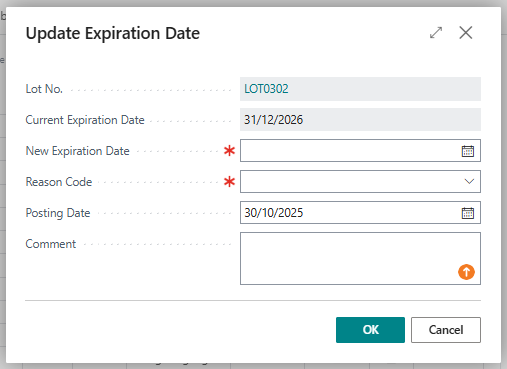
Fill with the new expiration date and the posting date for this update (by default this field is populated with the working date) but it can be manually changed. After that, press ok:
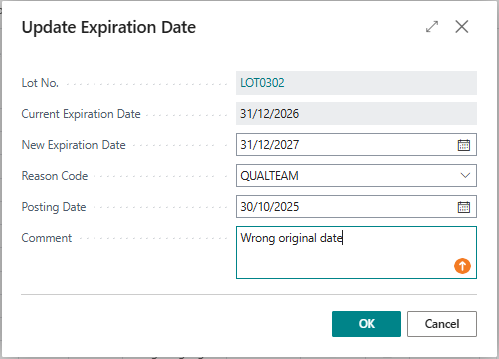
The update will be made and expiration date will change to the new
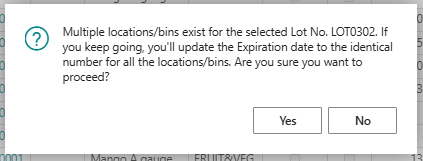
If theres more than one lot line per item, this update will be made for all the lines, and a pop-up message will appear:
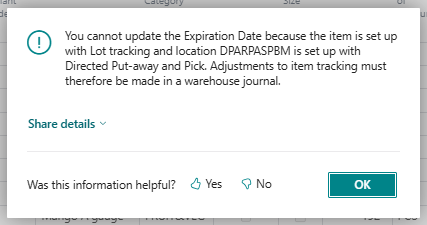
If the Location Code is set with “Direct Put-away and Pick”, it is not possible to change the Expiration Date through these action. In this case, a pop-up message will appear:
Update Expiration Date is available even for Lots that have related Package No.