Process Item Consumption Journal
Process Item Consumption Template
You can create specific Journal Templates for Multiple Order Consumption. To do this, search for Process Item Consumption Template and fill in the respective fields:
| Field | Description |
|---|---|
| Name | Specifies the name of the Item Consumption journal being created. |
| Description | Provides a brief description of the Item Consumption journal template. |
| Type | Specifies the type of the Item Consumption journal template. The type is always ‘Consumption’ and is non-editable. |
| No. Series | Specifies the number series from which entry or record numbers are assigned to new entries or records. |
| Posting No. Series | Specifies the number series code used to assign document numbers to ledger entries posted from journals using this template. |
Process Item Consumption Batches
This feature allows you to manage batches within the Process Item Consumption Template. To define batches:
- Select a Process Item Consumption Template and click on Batches.
- Alternatively, you can access Batches through Process Item Consumption Journal Templates.
Fill in the following fields:
| Field | Description |
|---|---|
| Name | Specifies the name of the Process Item Consumption journal batch being created. |
| Description | Provides a brief description of the Process Item Consumption journal batch. |
| No. Series | Specifies the number series from which entry or record numbers are assigned to new entries or records. |
| Posting No. Series | Specifies the number series code used to assign document numbers to ledger entries posted from this journal batch. |
Process Item Consumption Journal
The Process Item Consumption Journal allows users to create individual consumption lines specifically for Process Items in Released Production Orders. It works similarly to the Consumption Journal but is limited to lines for Process Items only. This journal has two key actions:
- Get Process Items
- Distribute PI Bin Content
Get Process Items
In the Process Item Consumption Journal, users can consume inventory quantities for process items at a specific date. The consumption is automatically distributed across related released production orders. This process helps users calculate the quantity consumed during the day and allocate it to the various production orders completed in the same period.
Steps
- Open the Process Item Consumption Journal.
- Select the Get Process Item action and set the appriopriate filter to retrieve the desired items.
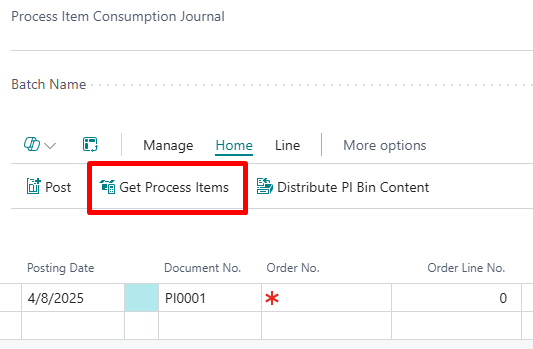
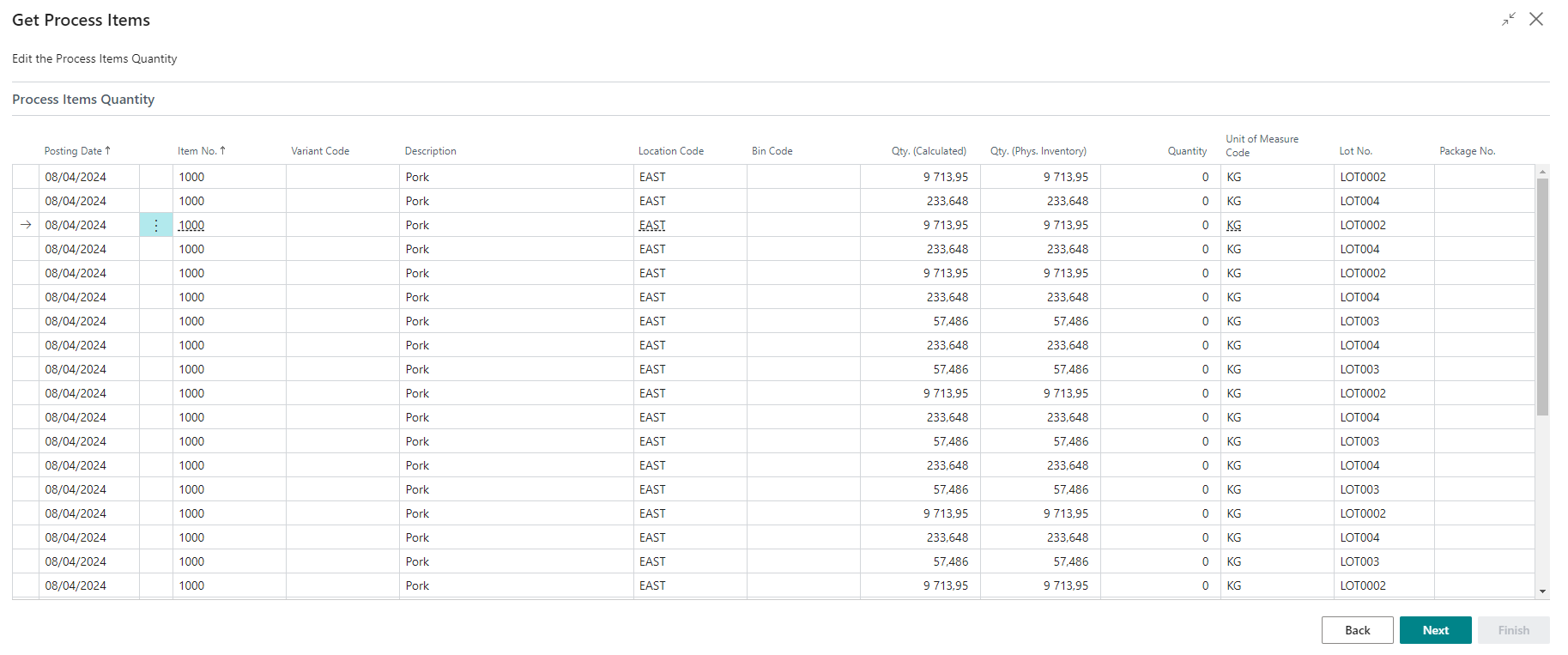
- When you press Next, the system will calculate the inventory at the specified date based on the selected filters and display the results by:
- Location Code
- Bin Code
- Lot No.
- Package No. (if applicable)
-
In the Qty. (Phys. Inventory) field, enter the effective quantities as observed. The Quantity field is automatically calculated based on the difference between Qty. (calculated) and the entered Qty. (Phys. Inventory).
-
After making the necessary changes, click Next. The quantities for each item, along with their corresponding Lot No., Package No., Location Code, and Bin Code, will be distributed to all Production Order Lines where the item is a component and a process item. The distribution follows the specified rules:
- Real Output: Takes into account the available quantity per lot and the Actual Output registered for the Production Order, subtracting any quantities already consumed.
- Expected Output: Considers the available quantity per lot and the Expected Output for the Production Order, also subtracting any quantities already consumed.
-
Users can adjust the quantities by changing the Quantity field as needed.
-
If you are satisfied with the entries, select Finish to create the Process Item Consumption Journal lines.
-
To register the consumptions, click Post.
Distribute Process Item Bin Content
To distribute the bin content of process items for existing Released Production Orders on a specific date, follow these steps:
- Open the Process Item Consumption Journal.
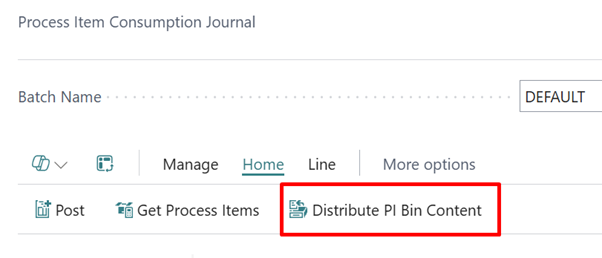
- Select the Distribute Process Item Bin Content action and set the appropriate filter to refine distribution.
-
Select the Posting Date, Location Code, and Bin Code. The fields Posting Date, Location Code, and Bin Code are mandatory. If any of these fields are not filled, an error message will appear.
-
Click ‘OK’. The system will distribute the quantities of each item, along with their respective Lot No., Package No., Location Code, and Bin Code, to all Production Order Lines where that item is a component and marked as a process item. The distribution follows specific rules:
- Real Output: Considers the available quantity to consume per lot and the Actual Output registered for the Production Order, subtracting any quantities that have already been consumed.
- Expected Output: Considers the available quantity to consume per lot and the Expected Output for the Production Order, also subtracting any previously consumed quantities.
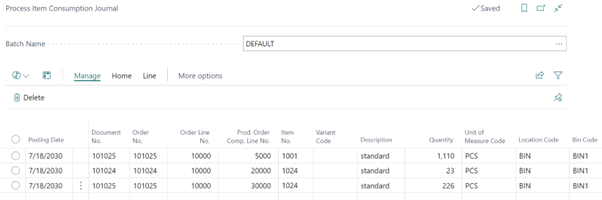
- If you want to register the consumptions after distribution, select Post.
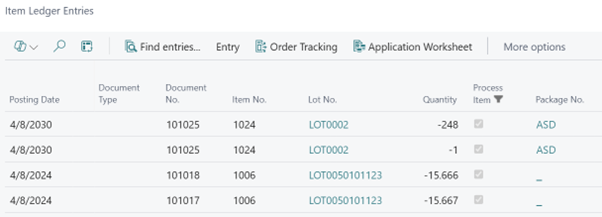
Item Ledger Entries
Process Item Consumption Journal Lines
When lines are created in the Process Item Consumption Journal, they are automatically marked as Process Item = Yes. This designation indicates that the items in these lines are treated as Process Items.
Posting Lines
When lines from the Process Item Consumption Journal are posted:
- The corresponding Item Ledger Entries generated will also be marked as Process Item = Yes.
This ensures consistency in the tracking and management of Process Items throughout the inventory and consumption processes.